
 Image 1 of 3
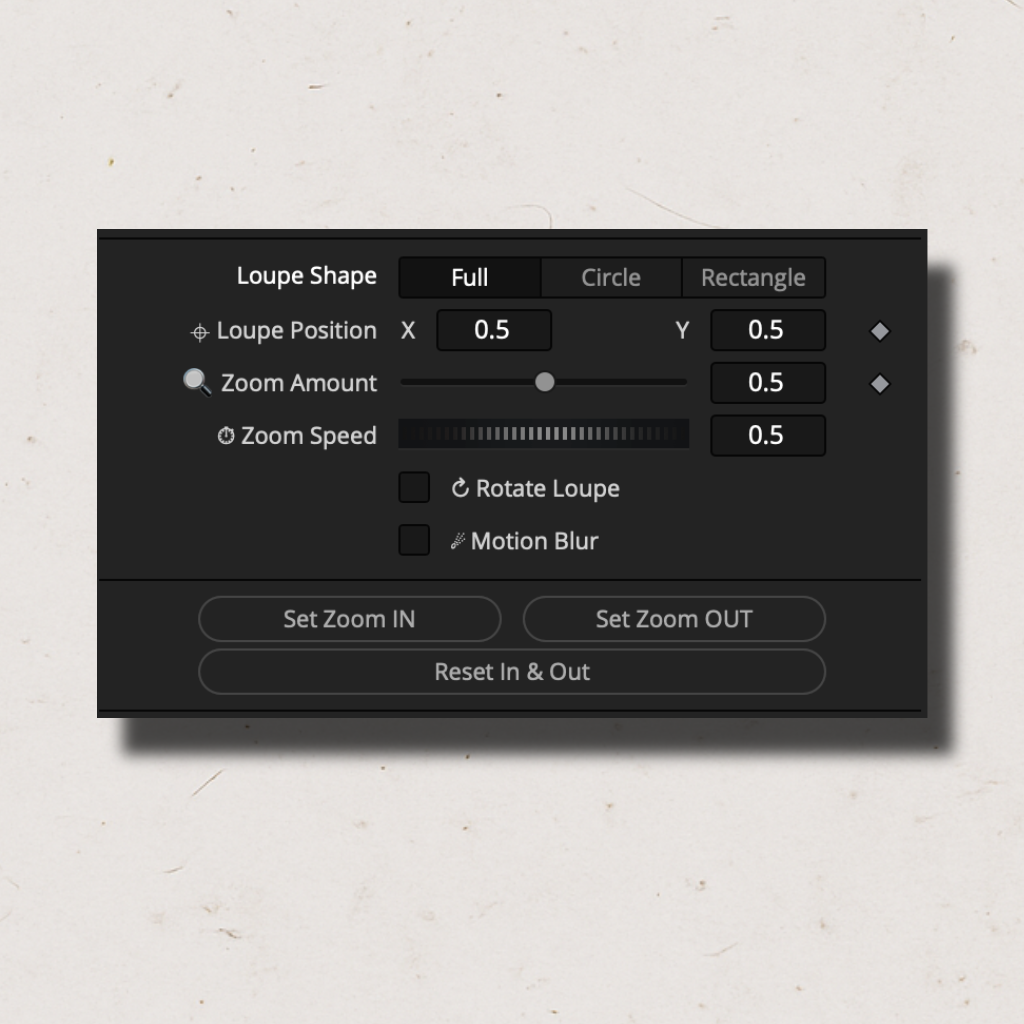 Image 2 of 3
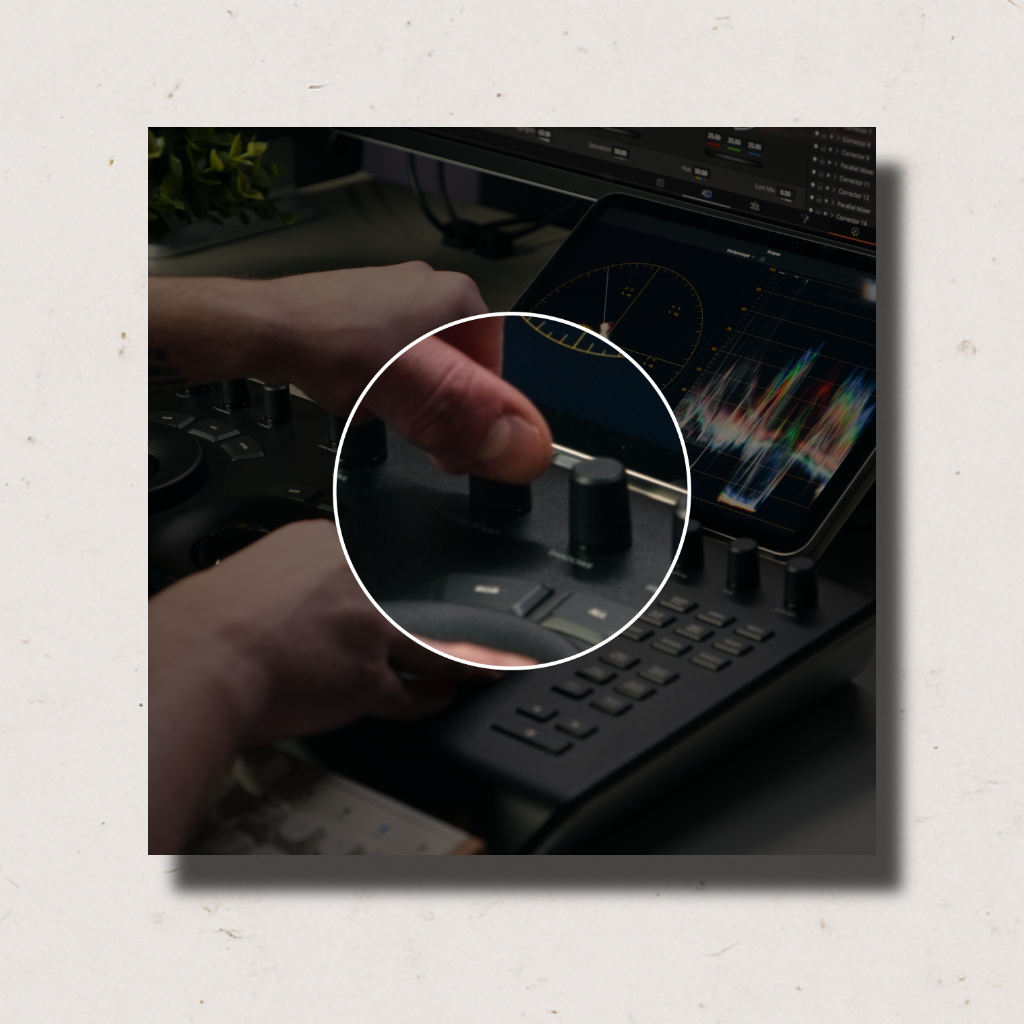 Image 3 of 3
Compare FREE vs. PRO
Asset Blaster Free
€0.00
- Swipe animations (Left / Right / Up / Down)
- Zoom animation
- Roll animation
- Mirrored IN & OUT (fixed)
- VHS, Bad JPG, Edge, B&W, Shake & Glow
- Spin, Crop, Pixel, Puzzle, Vapor, Strobe, Fade
- Independent IN & OUT animation columns
- Animation curves (7 styles)
- Animation Speed, Delay & Motion Blur
- Shadow, Outline, Film Dirt, Jitter, Flag
Asset Blaster Pro
€29.90
- Everything in Free
- 14 animation types
- Independent IN & OUT animation columns
- 7 animation curve styles
- Animation Speed & Delay control
- Motion Blur & Quality control
- Outline with color, thickness & blur
- Shadow, Film Dirt, Jitter & Flag effects
- Pitch & Yaw 3D transforms
- Spin direction control (CW / CCW)
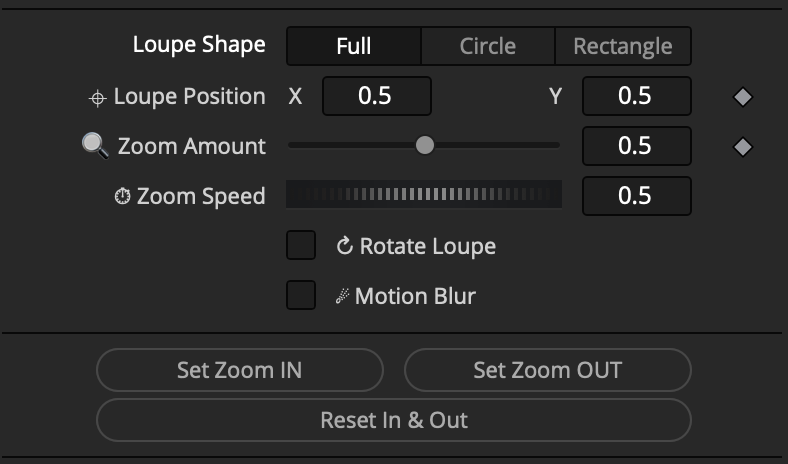
Zero keyframing - set in/out points, animation plays automatically
Three modes: full-frame zoom, circle loupe, rectangle loupe
Animated outline with color control
Darken background effect
One-click install - .drfx package
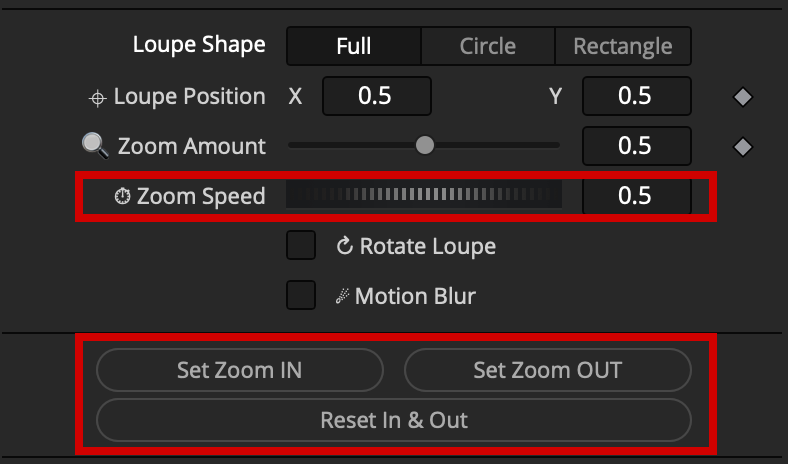
The animation system automatically handles the zoom in and zoom out transitions.
No keyframing required.
Animation Controls:
Zoom Speed - global speed multiplier
Set In - marks the frame where the loupe animation begins
Set Out- marks the frame where the loupe animation ends
Reset - resets In/Out points to default (full clip range)
Zoom mode - chooses the zoom animation type: In & Out or In Only
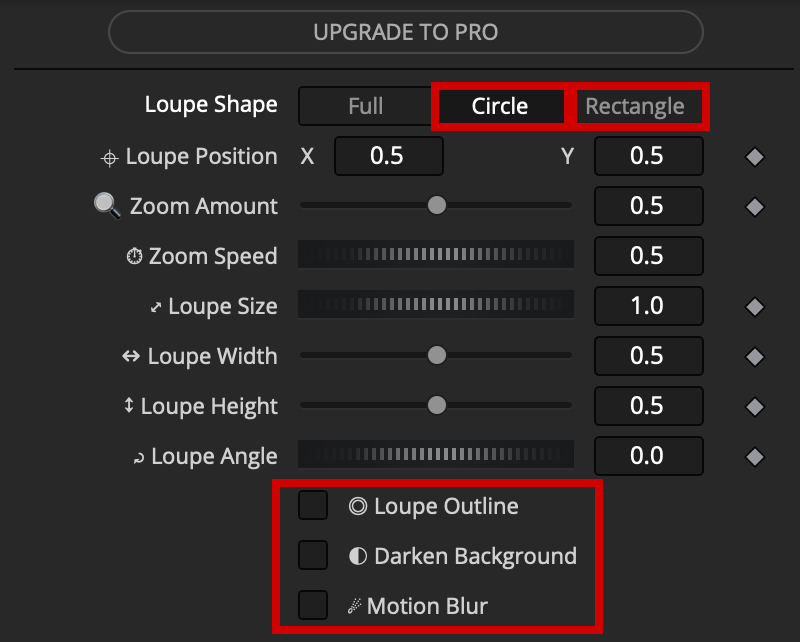
A circular or rectangular magnifying glass region that zooms into a specific area of the frame.
Available effects in Circle/Rectangle mode:
Outline — stroke around the circle/rectangle loupe.
Adjustable Color and Thickness.
Darken Background — dims the area outside the loupe
Motion Blur — adds realistic motion blur during the zoom