
 Image 1 of 6
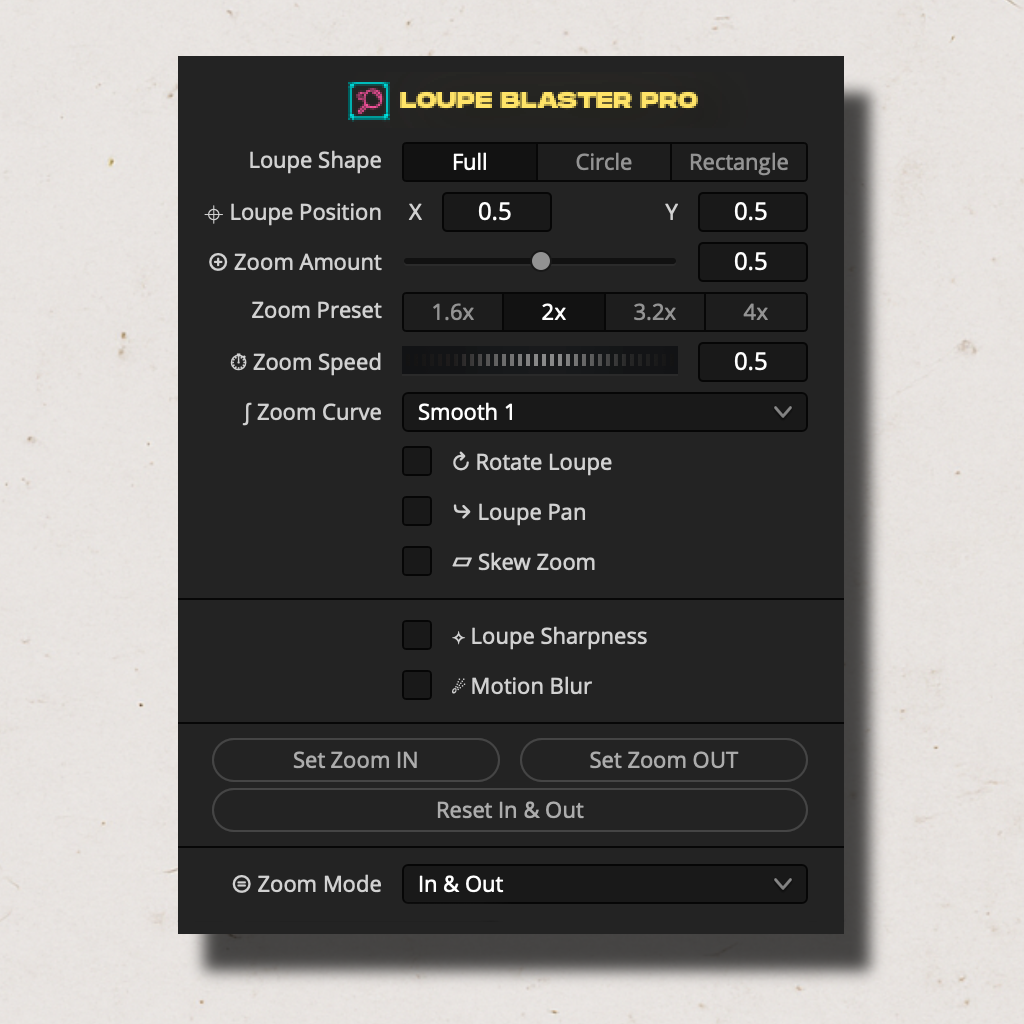 Image 2 of 6
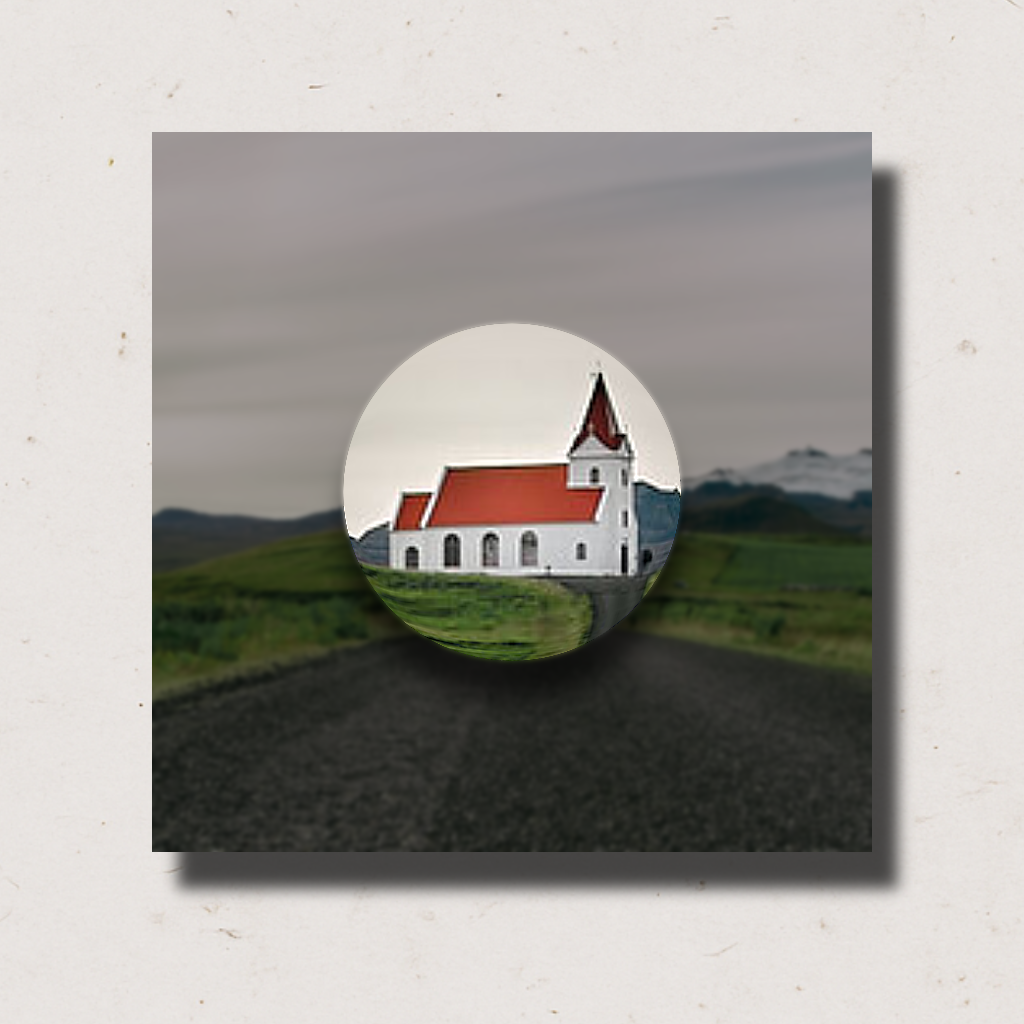 Image 3 of 6
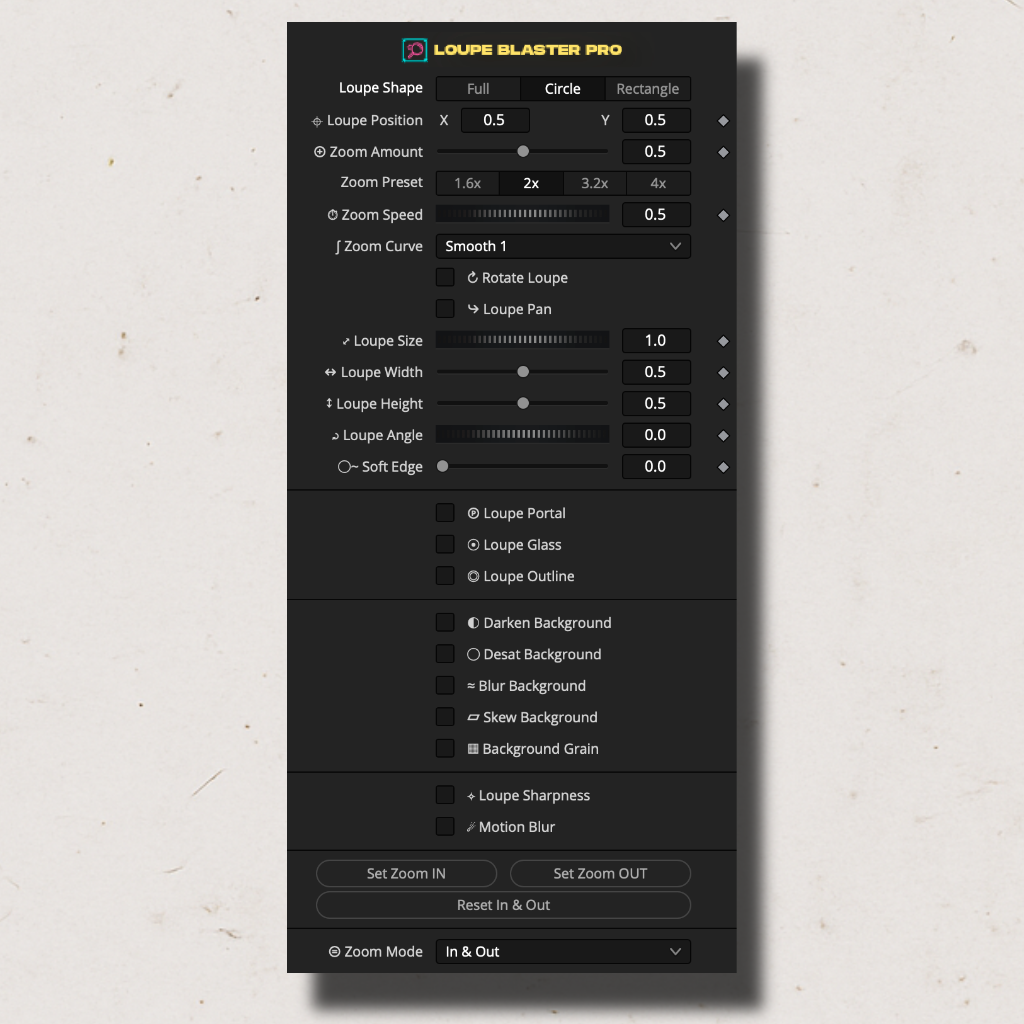 Image 4 of 6
 Image 5 of 6
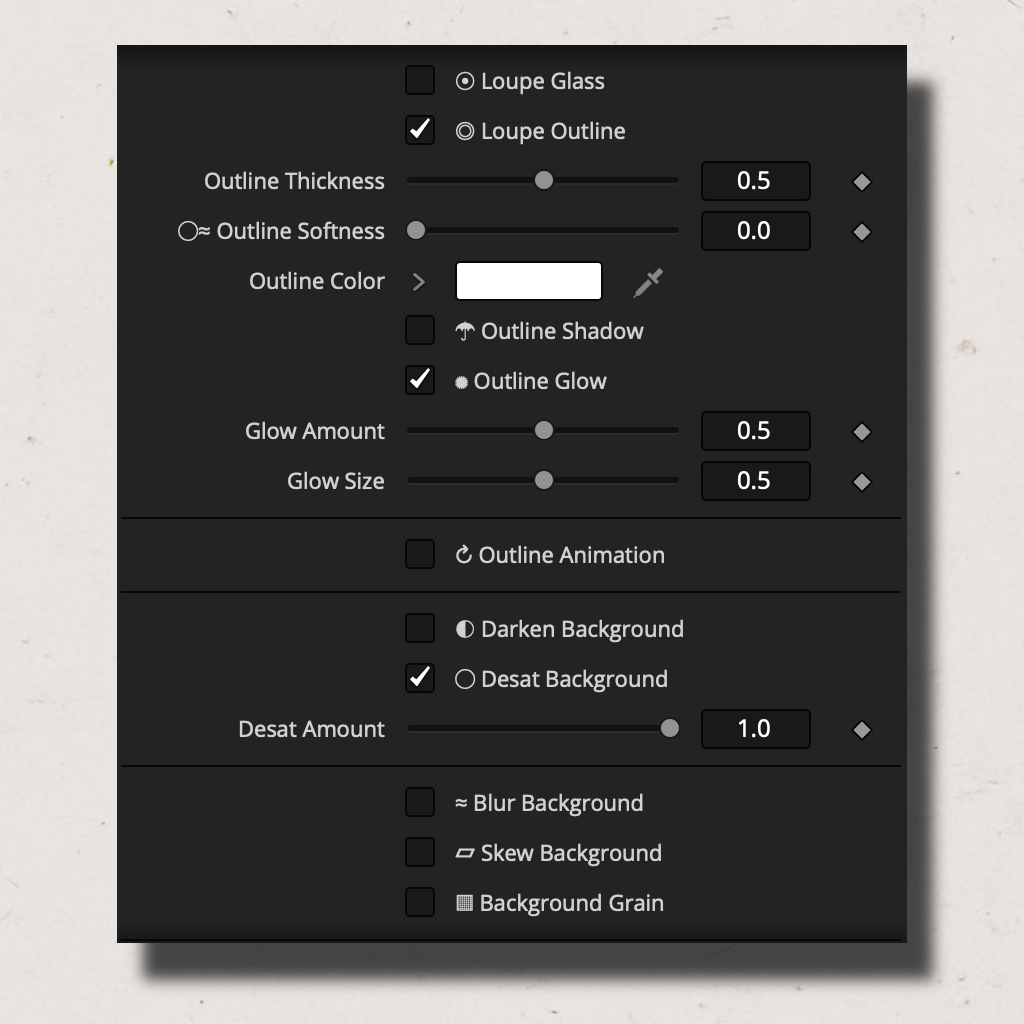 Image 6 of 6
⭐⭐⭐⭐⭐“The Loupe Glass was the seller for me, that looks sick!
Ty for taking the time to make this,
can't wait to use it on my next video!”
@dillonmderosa⭐⭐⭐⭐⭐“An excellent plugin, well done.”
@Coatsey007⭐⭐⭐⭐⭐“Guys, really recommend it. Its one of the most must have tools for editing”
@VladislavNovickij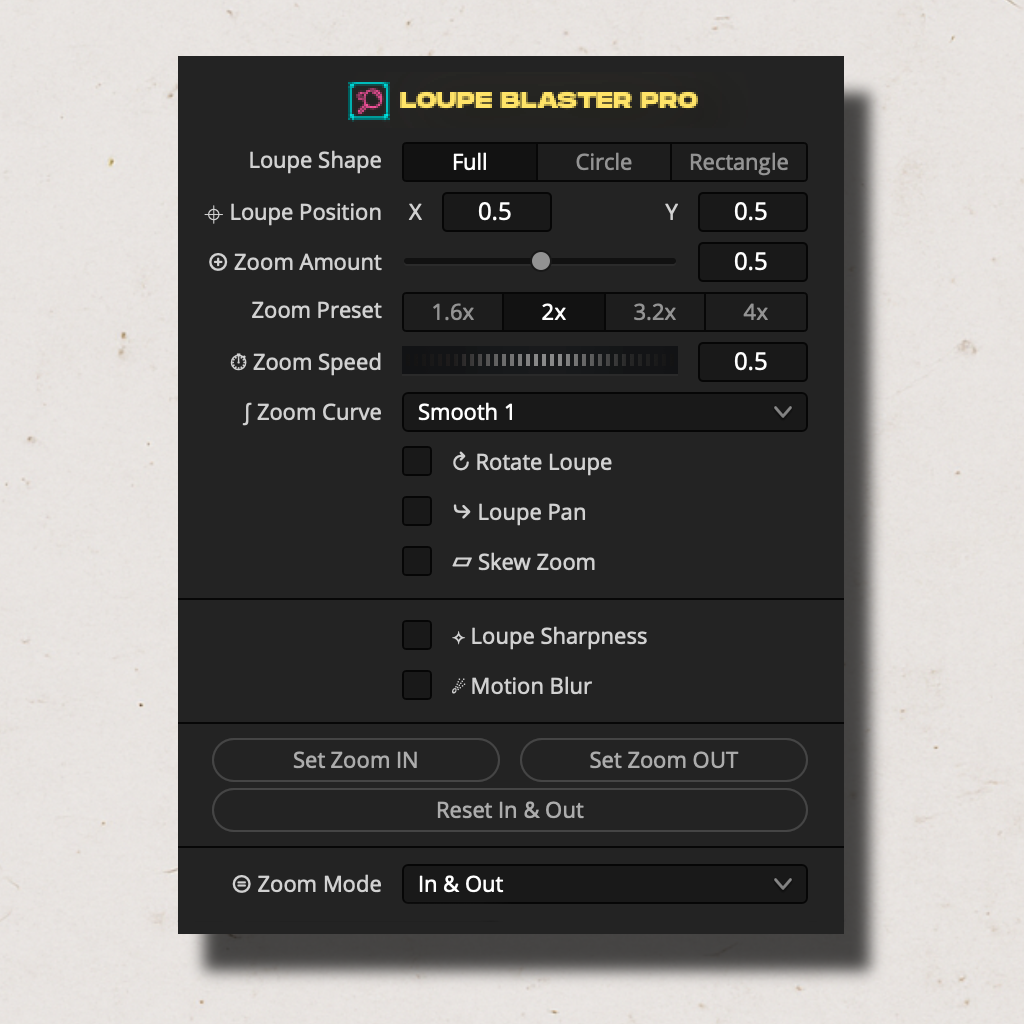
Drop it. Zoom it. Done.
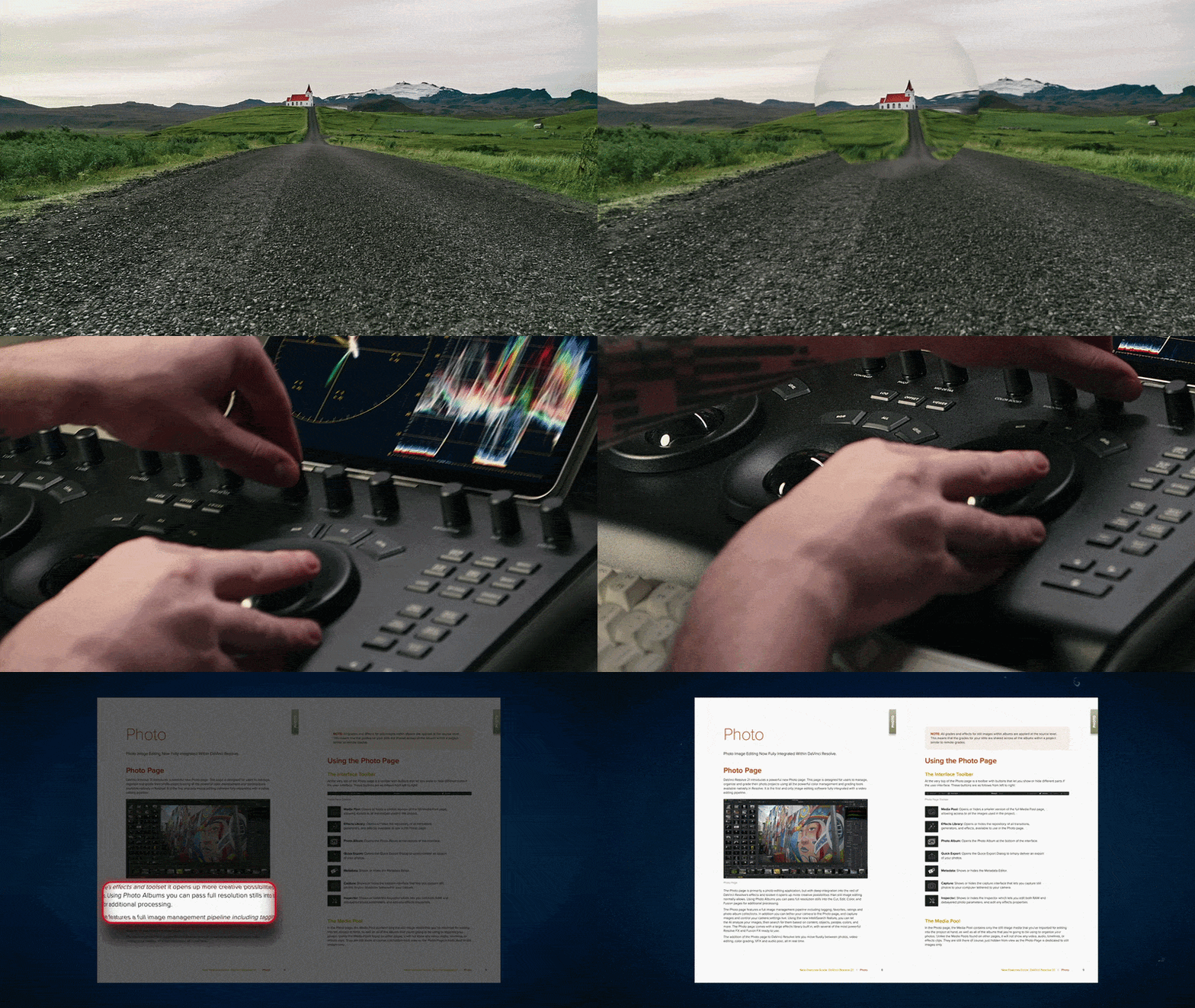
Loupe Blaster Pro works by wrapping your footage in a pre-built zoom and loupe animation system.
Position the loupe or zoom area, then set In and Out frame markers.
Everything is pre-timed, pre-eased, and ready to render.
Who Is It For?
• Video editors who want professional zoom effects without deep Fusion knowledge
• Indie filmmakers who need fast cinematic punch-ins and zooms
• Tutorial and educational video creators who need to highlight screen areas
• Social media and YouTube content creators who need dynamic zoom effects fast
• Content producers who need consistent, repeatable zoom styles across projects
THREE MODES.
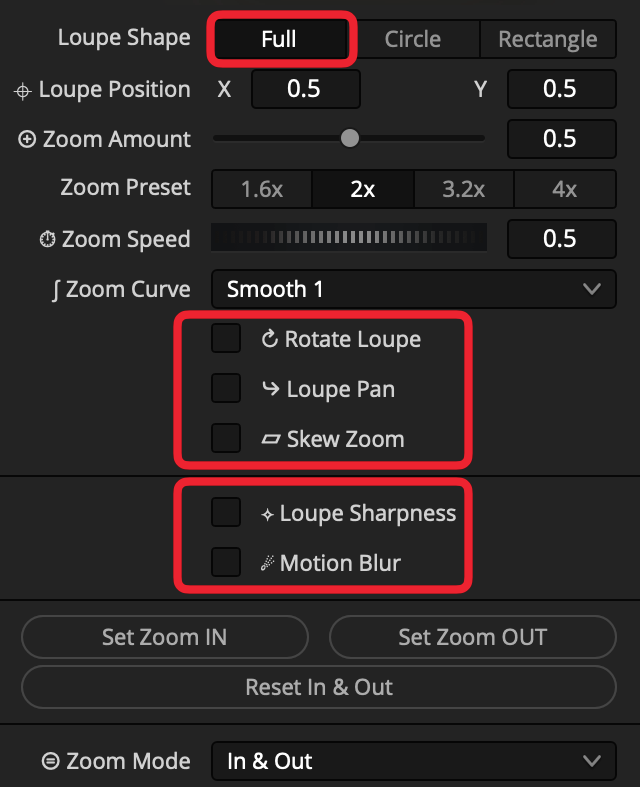
FULL -
Full-Frame Cinematic Zoom
The default mode. The entire image zooms in smoothly - a pre-animated cinematic zoom effect with no loupe region.
Available effects in Full mode:
Skew Zoom — adds a perspective skew to the zoom
(4 directions: left, right, up, down) with amount control
Rotate — adds a subtle rotation to the zoom animation with a single
angle controlLoupe Pan — moves the loupe to a new position after zoom-in, then zooms out from there.
Controls: destination, timing, and speed.
Loupe Sharpness - enhances detail inside the loupe once zoomed in
Motion Blur — adds realistic motion blur during the zoom
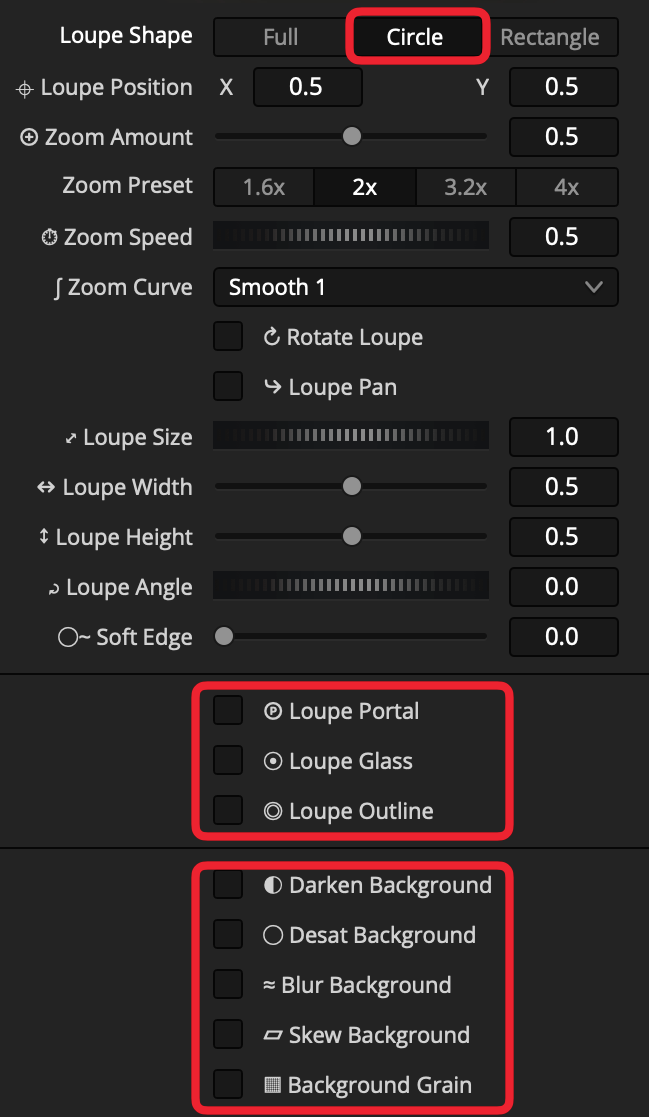
CIRCLE -
A circular magnifying glass
A circular region that zooms into a specific area of the frame. The loupe smoothly animates in and out based on In/Out markers.
Available effects in Circle mode:
Loupe Portal- reveals the zoomed area through a growing window at the loupe position
Loupe Glass - gives the zoomed area a real glass-lens feel with subtle highlight
Outline — animated stroke around the circle loupe (see Outline System)Darken Background — dims the area outside the loupe
Desaturate Background — desaturates the area outside the loupe
Blur Background — blurs the area outside the loupe
Background Grain — adds a film grain to the area outside the loupe
Skew Background — adds a perspective skew to the background
Loupe Pan, Loupe Sharpness, Motion Blur & Rotate
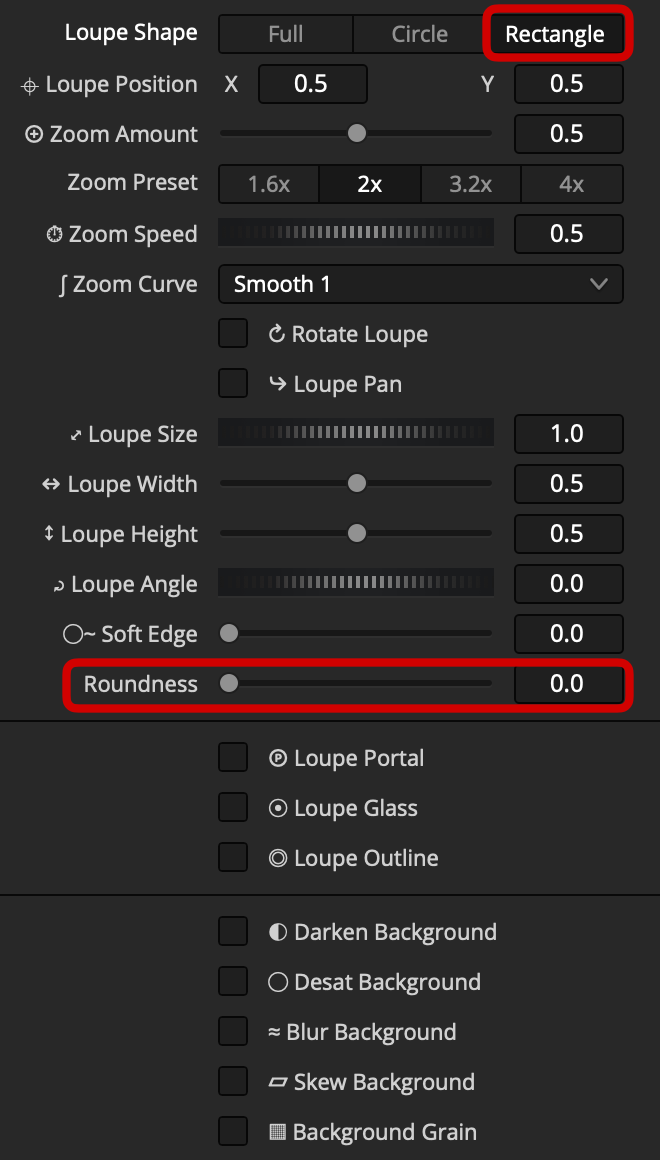
RECTANGLE -
A PRECISE RECTANGULAR LOUPE
Includes Corner Roundness control to go from sharp corners to a fully rounded rectangle.
Available effects in Rectangle mode:
Loupe Portal- reveals the zoomed area through a growing window at the loupe position
Loupe Glass - gives the zoomed area a real glass-lens feel with subtle highlight
Outline — animated stroke around the circle loupe (see Outline System)Darken Background — dims the area outside the loupe
Desaturate Background — desaturates the area outside the loupe
Blur Background — blurs the area outside the loupe
Background Grain — adds a film grain to the area outside the loupe
Skew Background — adds a perspective skew to the background
Loupe Pan, Loupe Sharpness, Motion Blur & Rotate
LOUPE CONTROLS.
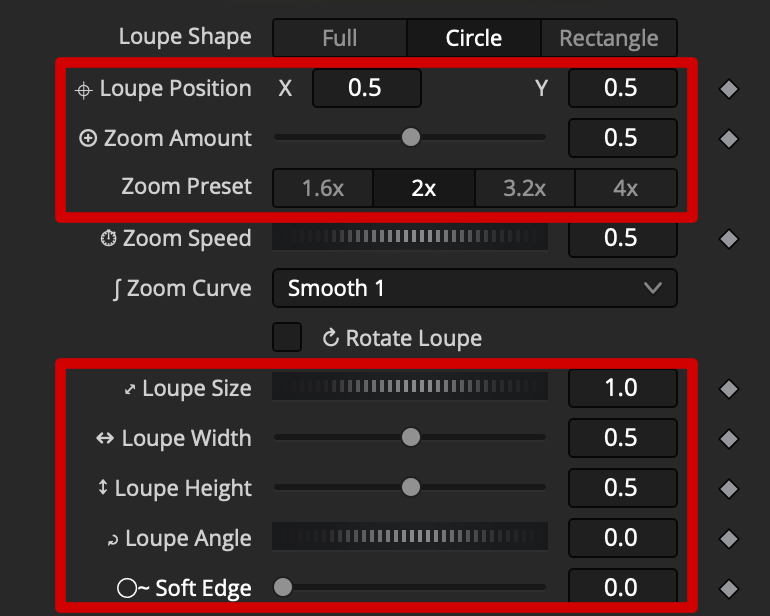
Loupe Position - drag to place the loupe anywhere on screen
Loupe Zoom - controls how much the loupe magnifies
Zoom Preset - quick zoom values matching common resolution downscales
Loupe Size - overall scale of the loupe region
Loupe Width / Height - independent width and height control
Loupe Angle - masked loupe angle control
Soft Edge - softens the edge of the loupe mask
ANIMAtION system.
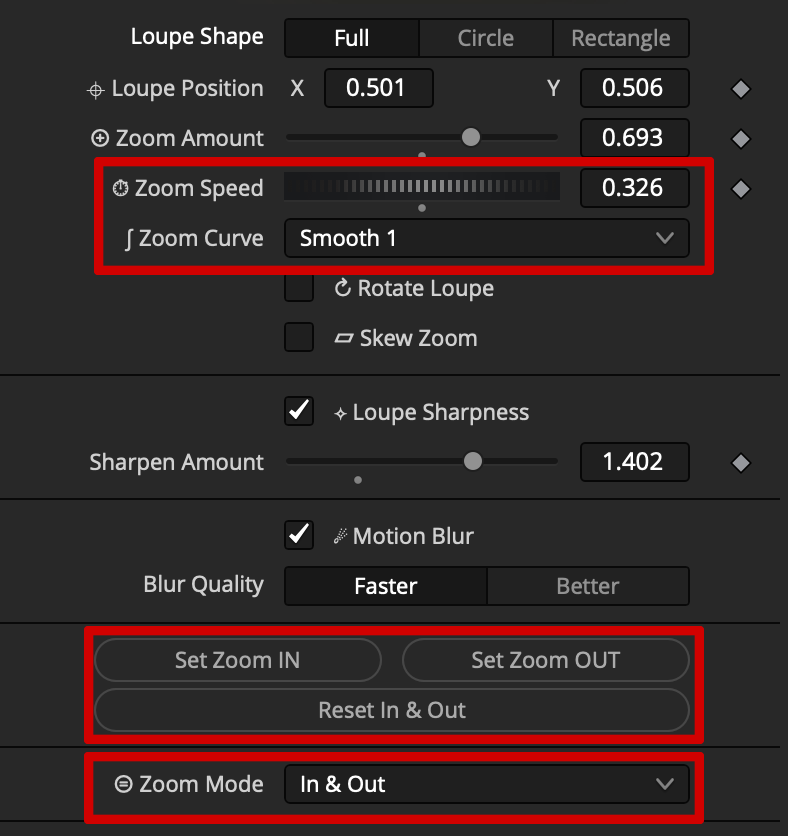
The animation system automatically handles the zoom in and zoom out transitions.
No keyframing required.
Animation Controls
Zoom Speed - global speed multiplier for all animation curves
Zoom Curve - 4 easing curve styles: Linear, Smooth, Bouncy, Elastic
Set In - marks the frame where the loupe animation begins
Set Out- marks the frame where the loupe animation ends
Reset - resets In/Out points to default (full clip range)
Zoom Mode - chooses the zoom animation type: In & Out, In Only, Out Only or Static
OUTLINE system.
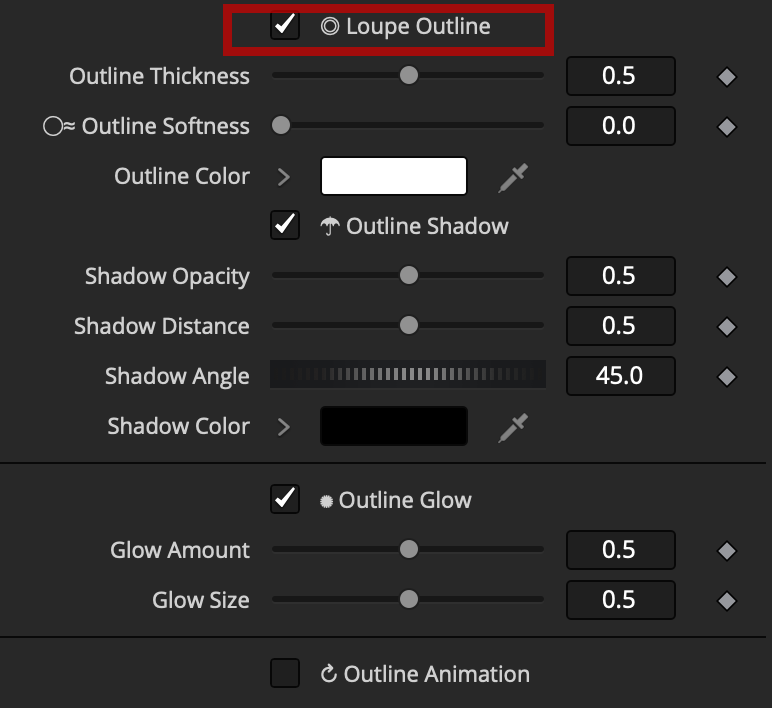
A fully animated stroke system around the loupe shape.
Toggle it on with a single checkbox.
Outline Thickness — stroke width control
Outline Softness — softens/blurs the stroke edge
Outline Color — full RGB color picker
Outline Shadow:
Shadow Opacity — controls shadow transparency
Shadow Distance — controls how far the shadow falls from the stroke
Shadow Angle — controls the direction of the shadow
Shadow Color — full RGB color picker
Outline Glow:
Glow Amount — controls the glow blend intensity
Glow Size — controls the spread of the glow
Outline Animation — animated draw-on effect that syncs with the zoom timing
BACKGROUND EFFECTS.
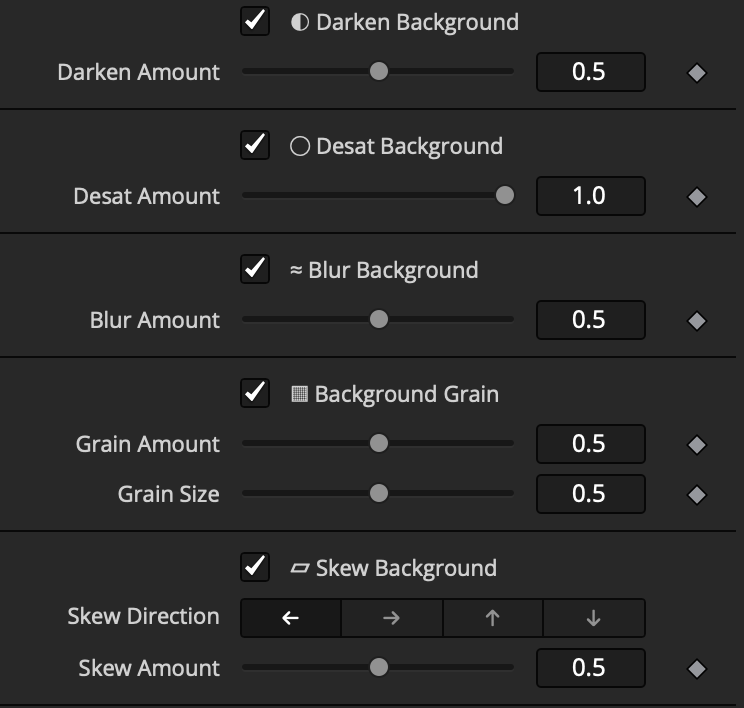
All background effects apply only to the area outside the loupe mask.
Each is toggled on/off with a single checkbox.
Darken — dims the background with adjustable opacity
Desaturate — desaturates the background with adjustable amount
Blur — blurs the background with adjustable amount
Grain — adds film grain to the background with adjustable amount and size
Skew — perspective skew on the background (4 directions, amount control)